
EpilepsyOne’s Client Portal
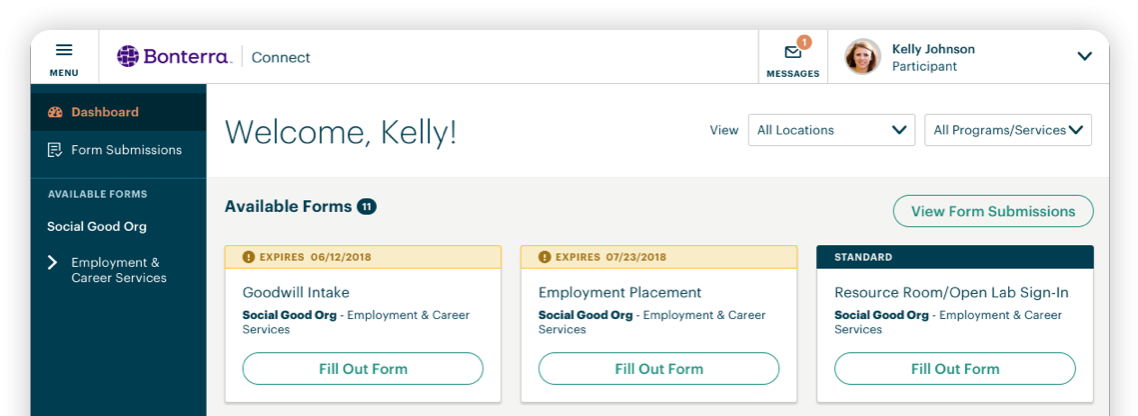
Epilepsy Ontario and the regional local agencies collectively use Apricot, a case management system within EpilepsyOne, and Apricot Connect is the secure client portal connected to that system. Because of this, you may receive legitimate invitation emails, login links and system emails from or including these sources:
- epilepsyone.ca
- [email protected]
- socialsolutionsconnect.ca
Official portal link: https://epilepsyone.socialsolutionsconnect.ca/
Why You’re Receiving This
You may receive an invitation if you are a current or past client of a participating epilepsy/seizure agency. The portal offers secure online access to your health record for care you received at any epilepsy agency. Within Apricot Connect you will be able to:
- update your personal Account Information, including:
- contact information that helps agencies connect with you
- demographic information that helps agencies identify services, support or funding
- emergency contacts with additional family members
- add or remove consents for non-service communications
- complete forms online when receiving some services
- informed participation in your services
- access your records whenever you need to
Why Accept the Invitation
- This similar to MyChart used in various Ontario Health facilities to enable clients to access select health service information
- Less repetition of information (a single record, even if receiving service at multiple agencies)
- Easier form completion (complete and submit forms online rather than in-person or on paper)
- More accurate service support (coordinated services amongst all agencies)
- Seamless care between multiple agencies (a single record of care amongst all agencies)
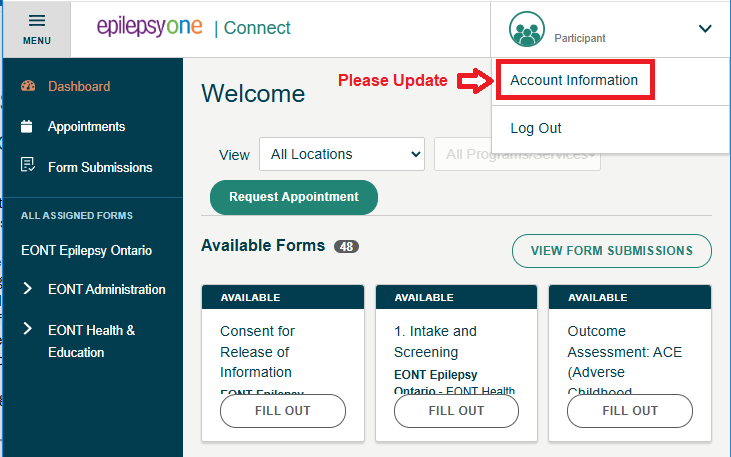
Please Update Your Profile
Your Apricot Connect account already exists. Accepting the agencies invitation allows you to access it immediately upon login. No additional steps required by you the client.
However, to receive the best service possible, we ask that you review and update your profile after the first time signing in.
- contact information
- address
- key personal details
- key demographics details
- emergency contacts
- informed consent
Why this matters
Accurate information helps agencies understand your needs, community needs, improve services for all people living with epilepsy or seizures.
How to Get Started
- Click the link in your invitation email to get started. This link is unique to only you
- Click the password setup link to create a unique personal password for yourself
- Access your Apricot Connect account for the first time by logging in
- Update your Account Information to ensure accurate data to receive the best service
Cannot Find Your Apricot Connect Invitation Email
Please check your:
- Spam or Junk folder
- Promotions or Other inbox tabs
- Quarantine or filtered email folders (if applicable)
The invitation email may come from a “do not reply” system address, which some email providers automatically filter.
Make Sure Future Emails Go to Your Inbox
To help ensure future Apricot Connect emails are delivered correctly:
- Mark the email as “Not Junk” or “Not Spam”
- Move the message from Spam/Junk into your Inbox
- Add the sender to your:
- Safe Senders list
- Contacts list
- Approved sender list (if using a work email system)
These actions help email providers recognize the messages as legitimate and improve future delivery to your inbox.